 Kakobuy Spreadsheet QC Scope
First Kakobuy order with the Spreadsheet, step by step
From a find card to a stocked-in parcel in four legs: account, link, payment, warehouse. Each leg shows the actual screen and names the one field people get wrong.
The account and the invitation field
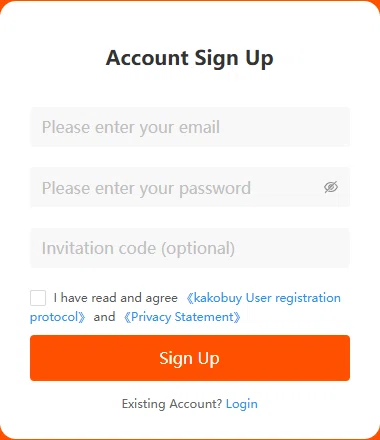
Sign-up screen, read 2026-10-10Registration asks for email, password and a third field labelled "Invitation code (optional)". Arrive through a referral link like ours and the field fills and locks itself; there is nothing to paste. The promotional banner beside the card quotes a coupon figure in yuan, which is the operator's advertised bundle, not a number this guide vouches for.
Agree to the user registration protocol with a tick, verify the email, and the User Center exists from that moment: the same screen that will later hold your QC thumbnails and waybills.
One setting worth doing on day one: open Member Centre and note your warehouse address block. Sellers ship there, not to you, and support asks for the OG order number printed on those records.
Getting the link in, two ways
Fill and Buy form, read 2026-10-10How to use the finds list with the agent: open a card on our category index, copy the listing URL, and paste it into the search bar on the official home page. Supported marketplace links resolve to an orderable product page with the price converted on screen. For anything the bar cannot parse, the Fill and Buy form below is the manual path: product link, product name, then a specifications field where colour and size belong.
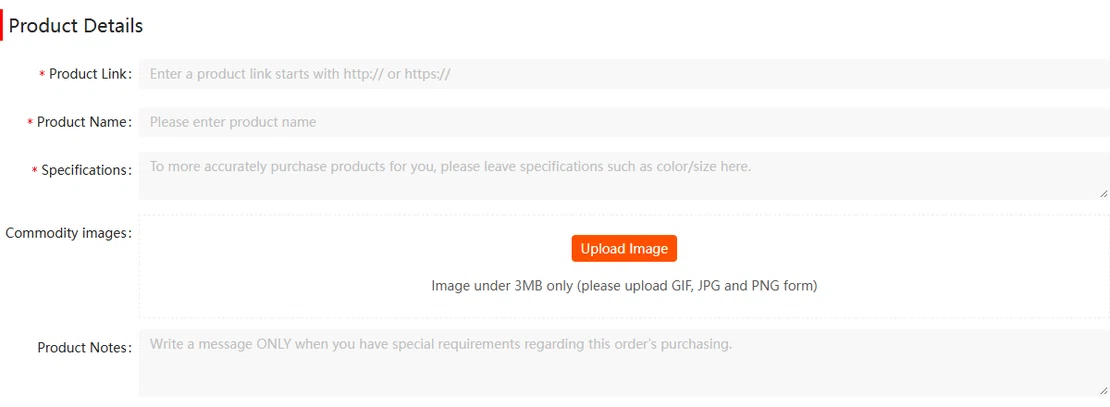
Whichever path you use, the specifications text ends up as the final comment on the order, and for garments that comment is the size reference the warehouse check reads. Write it like a measurement, not a mood.
Paying the order leg
Help id 63 + checkout screen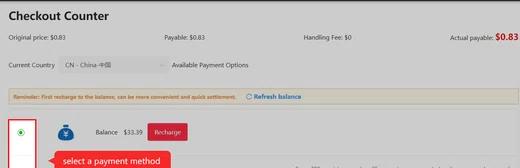
Checkout prints the order leg in plain rows: original price, payable amount, and a Handling Fee line that reads $0 on the purchasing service, matching the free-agent wording of help id 63, read 2026-10-10. What you pre-pay here is the item and domestic postage; international shipping is a second, later payment at waybill time.
The amounts in the tutorial frame are the operator's example values. Your own screen converts from yuan at payment, and the fees page covers the conversion step and the one fixed charge that appears later.
Top-up before ordering is optional but common: balance paid orders skip per-payment friction, and the recharge article lists the method-by-method surcharges.
The warehouse takes over
Warehouse tutorial, read 2026-10-10Payment done, the agent buys during the posted purchasing window and the seller ships domestically to the warehouse. Days later the order flips to "Stocked in" and lands on a list like the one below: weight in grams on the record, QC Picture thumbnails, an Extra photo link. From that flip you are inside the 120-hour window; from that list you later select parcels and submit the waybill with a shipping line for your destination. The check that happens in between is exactly the published scope, no more and no less.
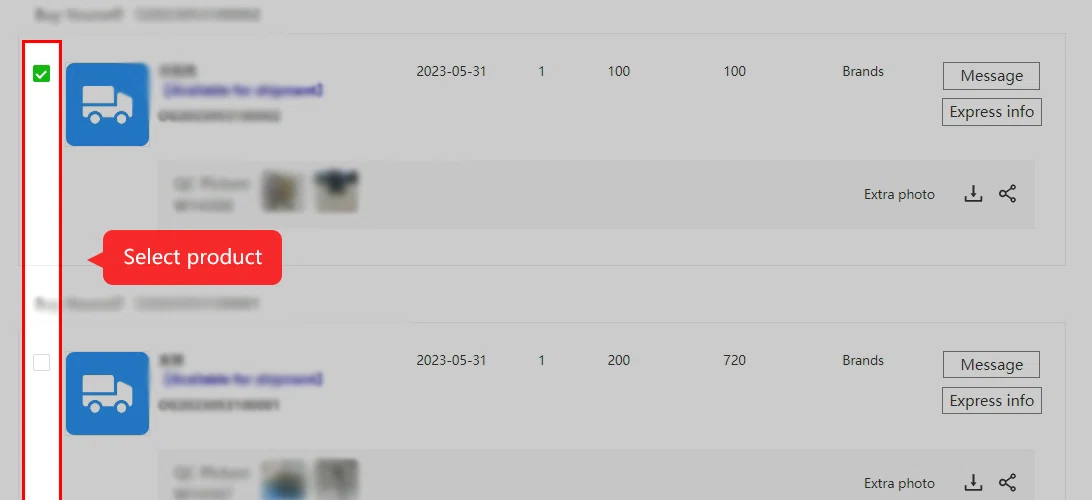
Match the photo set to your own order
A product page can carry pictures from a previous buyer. Before treating those as a reference, match the platform, seller, original item identifier and selected colour and size. A similar style or the same model name is insufficient: another seller, variant or purchase date may explain the differences.
At your own stock-in, open the record for the specific order and compare the whole item first, then the label, count and visible accessories. Save the selected-option screenshot alongside the warehouse images. If the evidence does not show a necessary detail, ask for that detail while the item is still in the warehouse.
Use the stock-in timestamp and applicable conditions for a return request; the date you first view the photos is not a new starting point. Long storage gives you time to plan a parcel, but it does not provide the same period for resolving a seller issue.
Four screens, four fields that matter: start with the account and the rest of this guide happens inside it.
Open the official Kakobuy siteCheck an item type first